
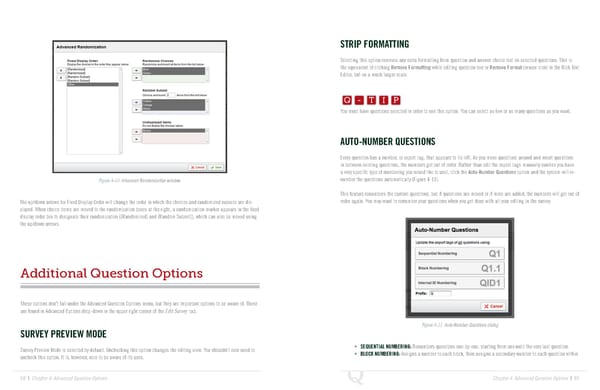
STRIP FORMATTING Selecting this option removes any extra formatting from question and answer choice text on selected questions. This is the equivalent of clicking Remove Formatting while editing question text or Remove Format (eraser icon) in the Rich Text Q-TIP -TIP Editor, but on a much larger scale. Q - T I P Q - T I P You must have questions selected in order to use this option. You can select as few or as many questions as you want. - T I P AUTO-NUMBER QUESTIONS Every question has a number, or export tag, that appears to its left. As you move questions around and insert questions in between existing questions, the numbers get out of order. Rather than edit the export tags manually (unless you have a very specific type of numbering you would like to use), click the Auto-Number Questions option and the system will re- Figure 4-10 Advanced Randomization window. number the questions automatically (Figure 4-11). This feature renumbers the current questions, but if questions are moved or if more are added, the numbers will get out of The up/down arrows for Fixed Display Order will change the order in which the choices and randomized subsets are dis- order again. You may want to renumber your questions when you get done with all your editing in the survey. played. When choice items are moved to the randomization boxes at the right, a randomization marker appears in the fixed display order box to designate their randomization ({Randomized} and {Random Subset}), which can also be moved using the up/down arrows. Additional Question Options These options don’t fall under the Advanced Question Options menu, but they are important options to be aware of. These are found in Advanced Options drop-down in the upper right corner of the Edit Survey tab. Figure 4-11 Auto-Number Questions dialog SURVEY PREVIEW MODE Survey Preview Mode is selected by default. Unchecking this option changes the editing view. You shouldn’t ever need to • SEQUENTIAL NUMBERING: Renumbers questions one-by-one, starting from one until the very last question. uncheck this option. It is, however, nice to be aware of its uses. • BLOCK NUMBERING: Assigns a number to each block, then assigns a secondary number to each question within 68 | Chapter 4: Advanced Question Options Chapter 4: Advanced Question Options | 69
 The Complete Research Suite Page 34 Page 36