
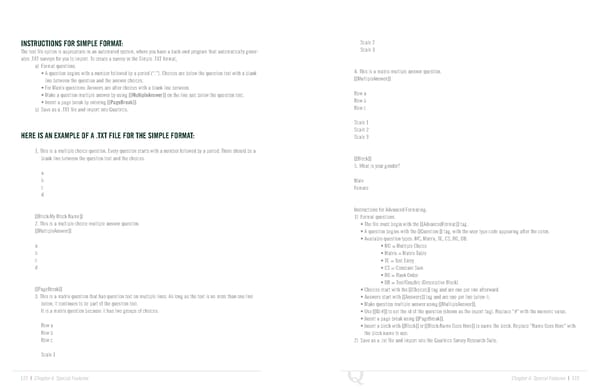
INSTRUCTIONS FOR SIMPLE FORMAT: Scale 2 The text file option is appropriate in an automated system, where you have a back-end program that automatically gener- Scale 3 ates .TXT surveys for you to import. To create a survey in the Simple .TXT format, a) Format questions. • A question begins with a number followed by a period (“.”). Choices are below the question text with a blank 4. This is a matrix multiple answer question. line between the question and the answer choices. [[MultipleAnswer]] • For Matrix questions: Answers are after choices with a blank line between. • Make a question multiple answer by using [[MultipleAnswer]] on the line just below the question text. Row a • Insert a page break by entering [[PageBreak]]. Row b b) Save as a .TXT file and import into Qualtrics. Row c Scale 1 HERE IS AN EXAMPLE OF A .TXT FILE FOR THE SIMPLE FORMAT: Scale 2 Scale 3 1. This is a multiple choice question. Every question starts with a number followed by a period. There should be a blank line between the question text and the choices. [[Block]] 5. What is your gender? a b Male c Female d Instructions for Advanced Formating: [[Block:My Block Name]] 1) Format questions. 2. This is a multiple choice multiple answer question. • The file must begin with the [[AdvancedFormat]] tag. [[MultipleAnswer]] • A question begins with the [[Question:]] tag, with the user type code appearing after the colon. • Available question types: MC, Matrix, TE, CS, RO, DB. a • MC = Multiple Choice b • Matrix = Matrix Table c • TE = Text Entry d • CS = Constant Sum • RO = Rank Order • DB = Text/Graphic (Descriptive Block) [[PageBreak]] • Choices start with the [[Choices]] tag and are one per line afterward. 3. This is a matrix question that has question text on multiple lines. As long as the text is no more than one line • Answers start with [[Answers]] tag and are one per line below it. below, it continues to be part of the question text. • Make question multiple answer using [[MultipleAnswer]]. It is a matrix question because it has two groups of choices. • Use [[ID:#]] to set the id of the question (shown as the export tag). Replace “#” with the numeric value. • Insert a page break using [[PageBreak]]. Row a • Insert a block with [[Block]] or [[Block:Name Goes Here]] to name the block. Replace “Name Goes Here” with Row b the block name to use. Row c 2) Save as a .txt file and import into the Qualtrics Survey Research Suite. Scale 1 122 | Chapter 6: Special Features Chapter 6: Special Features | 123
 The Complete Research Suite Page 61 Page 63